Glitch Text Generator 🎮 – Make Your Game Name Stand Out
Use our free glitch text generator to create bold, distorted game names that pop. Try
Ad Space 1 (Google AdSense)
Ultimate Text Generator Pro
Create stunning text effects including glitch, cursed, tiny, upside-down, bold, wavy, greek, curved, and groovy text styles for social media, gaming, and messaging.
Ad Space 2 (Google AdSense)
Ad Space 3 (Google AdSense)
Process multiple lines of text at once. Each line will be transformed separately.
Create custom text replacement rules. Each rule will be applied in order.
Your recent transformations. Click to apply again.
Your favorite transformations. Click to apply again.
Ad Space 4 (Google AdSense)
Popular Text Effects Explained
Glitch Text Generator
Our glitch text generator creates distorted, digital-style text that looks corrupted or glitched. Perfect for gaming usernames, social media bios, or creating a futuristic aesthetic.
Cursed Text Generator
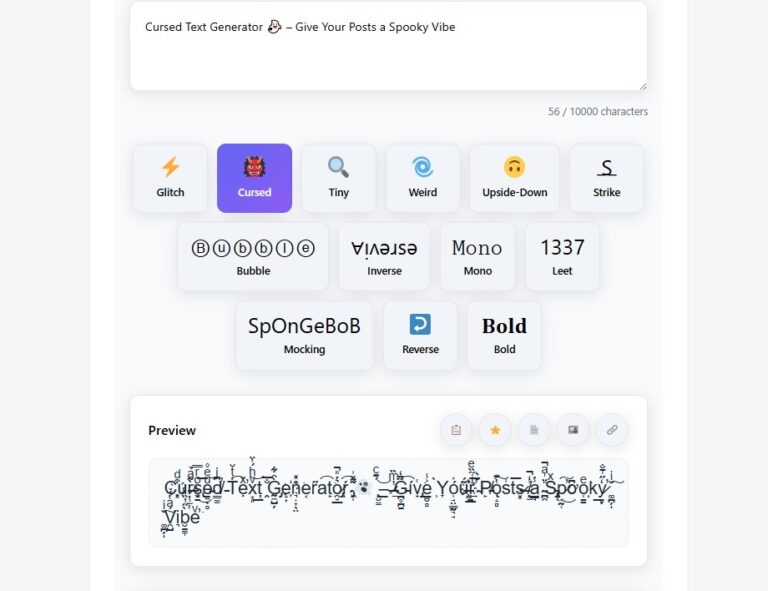
Also known as Zalgo text, cursed text adds multiple diacritical marks to characters, creating a creepy, corrupted appearance. Control the intensity and placement of these marks.
Tiny Text Generator
Create small Unicode text perfect for Instagram bios, Twitter handles, or when you need to fit more text in limited space. Offers both "tiny" and "micro" presets.
Weird Text Generator
Applies various effects like alternate letter spacing, intermittent capitalization, and swapped characters to create unique, attention-grabbing text.
Wavy Text Generator
Create text with a wavy, flowing effect using our wavy text generator. Perfect for creating artistic text that appears to float or move in waves.
Greek Font Generator
Transform your text into Greek characters with our Greek font generator. Ideal for creating mathematical notation, fraternity/sorority names, or classical text.
Curved Text Generator
Create text that appears to curve or bend with our curved text generator. Perfect for logos, headers, or when you want text to follow a circular path.
Groovy Text Generator
Add a retro, psychedelic feel to your text with our groovy text generator. Perfect for 70s-inspired designs, music festival promotions, or funky text.
Frequently Asked Questions
Simply type or paste your text into the input box, then click on the 'Glitch Text' button. Adjust the intensity using the slider to control how glitchy the text appears.
Yes! All the text styles generated by our tool use Unicode characters, which are supported by most social media platforms including Instagram, Twitter, TikTok, and Facebook.
Cursed text, also known as Zalgo text, is created by adding multiple combining diacritical marks to regular characters. This makes the text appear corrupted, creepy, or 'cursed'.
To create wavy text, type or paste your text into the input box and click the 'Wavy' button. Our tool will apply a wave effect to your text, making it appear to flow in waves.
Yes, our text generator is completely safe to use. All transformations happen in your browser - no data is sent to our servers. We also include a 'safe mode' that limits combining characters.
Estimated Reading Time: ~ 6 minutes
Table of Contents
- Introduction
- Problem Context
- Solution Overview
- How to Use text generator — Step by Step
- Benefits & Examples
- Advanced Tips & Use Cases
- Frequently Asked Questions (FAQ)
- Conclusion
Introduction
Imagine logging into your favourite game lobby and seeing a name like „SͫhͦaͤdͨoͧwHͫuͤnͥtͤeͥr” — glitchy, unique, impossible to ignore. That’s exactly what our free text generator (aka the tool at https://wikipediasearch.com/text-generator/) helps you create with ease. With the focus on a glitch text generator, you’ll take your game name from plain to powerful in seconds. Whether you’re a gamer, streamer, or clan leader, this post will show you how to stand out — and actually use the tool.
👉 Try it now: text-generator
Problem Context
If you’re like many gamers and content creators, you’ve probably faced this: you pick a cool name, but it blends into the background. It doesn’t reflect your style, your vibe, or your channel. You might try funky fonts or random symbols, but it either looks messy or fails to load properly in chats or on profiles.
🔍 Specifically:
- Generic names are hard to remember, and less likely to get noticed.
- Regular fonts don’t convey your “brand” or attitude in the gaming world.
- Many free text generators only support plain styling — no glitch effect, no distortion, no real edge.
- Some tools are slow, cluttered with ads or pop-ups, or produce text that doesn’t render properly across platforms.
In short: You need a tool that gives you a glitch text generator experience — one that’s reliable, simple, and results in names that look epic everywhere you use them.
Solution Overview
Here’s where the magic happens. Our tool— text_generator at https://wikipediasearch.com/text-generator/—is built to solve exactly those pain-points. It’s a top-tier glitchy text generator tailored for gamers, streamers, content creators and anyone who wants to make an impact with text.
Why it works:
- Choose the Glitch Text style (and yes, glitchy text generator counts too)
- Paste your desired game name — whether it’s “NightStalker”, “PhantomX”, or “Zero-Gravity”
- Click generate and instantly get a distorted version like “NͤiͪgͦhͤtSͫtͦaͤlͨkͧer”
- Copy, paste into your game profile, chat handle, or streaming account — it just works
No downloads. No sign-up. Fast, free and effective.
Internal Links to boost topical authority:
- Use the QR Code Generator with Logo to create a personalised code linking to your gaming stream.
- Check out the Random Color Palette Generator to pick a colour scheme that matches your glitch name aesthetic.
- Visit our blog homepage for more tools and tips → Blog – WikipediaSearch
How to Use Glitch Text Generator — Step by Step
Here’s an easy walkthrough to get your glitch game name up and running:
- Go to https://wikipediasearch.com/text-generator/ (open in a new tab).
- In the input box, type your desired game name: e.g., ShadowHunter.
- Select the “Glitch” style (or choose “Glitchy” if you prefer a slightly different effect).
- Click the “Generate” button — in seconds you’ll see the styled output.
- Click Copy (or manually select and copy).
- Open your gaming platform/profile → paste the styled name.
- Save your profile/settings and Test it in chat or lobby to ensure it renders correctly (on mobile and desktop).
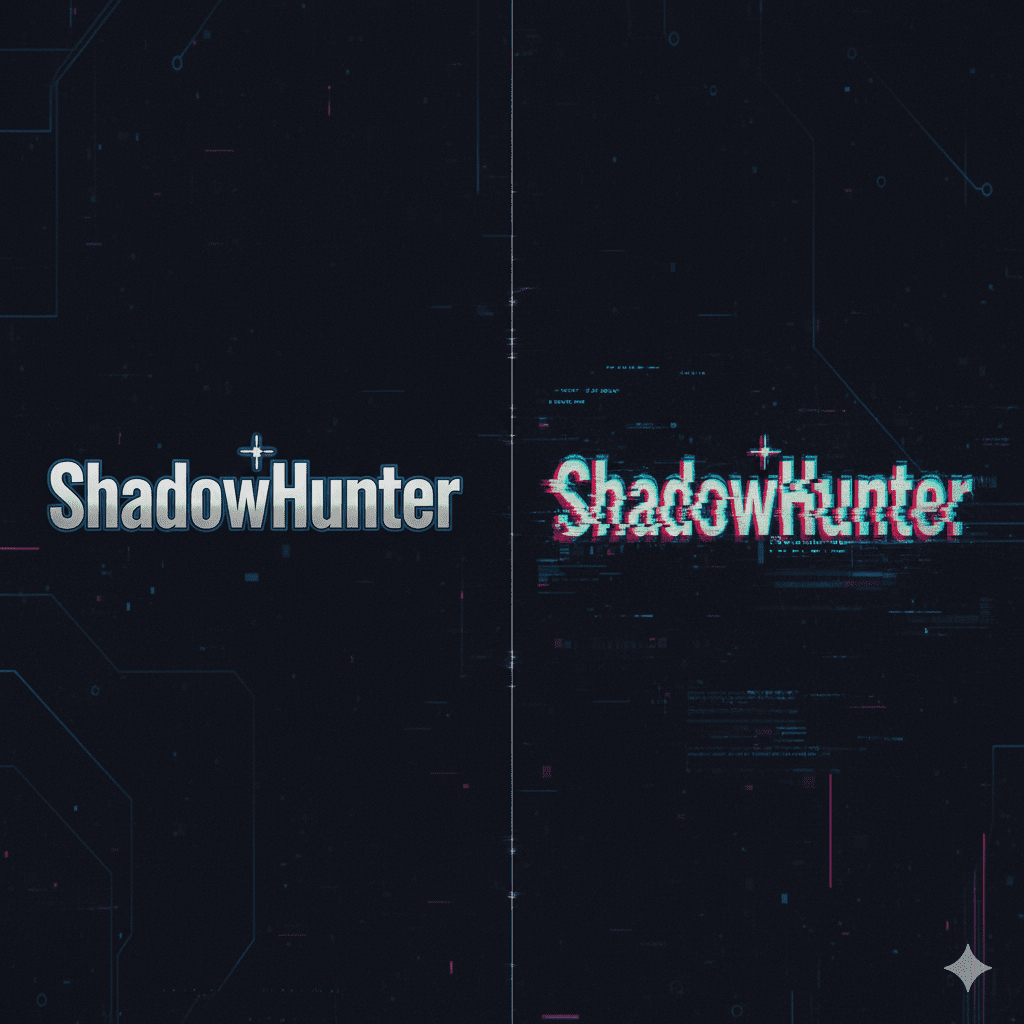
👉 CTA: Try it now and create your stand-out name!
Benefits & Examples
Benefits
- Stand-out identity: A glitch name catches the eye; you’re more memorable.
- Cross-platform compatibility: Works in game chats, streaming overlays, social bios.
- Free & instant: No cost, no sign-up, immediate result.
- Multiple styles: Though we focus on glitch, you also get tiny text, weird text, upside-down — giving you options.
Examples
| Style | Use-Case | Sample Output |
|---|---|---|
| Glitch / Glitchy | Gaming handle | SͫhͦaͤdͨoͧwHͫuͤnͥtͤer |
| Tiny / Small | Chat footer or tag | ᴛɪɴʏGᴀᴍᴇʀ |
| Weird / Creepy | Horror-themed stream | ☠CᴜʀsᴇᴅGᴀᴍᴇʀ☠ |
| Upside-Down | Light-heart fun posts | ɹǝɯɐƃGuoʇƎsdoW |
🔬 Real-world use-case: A streamer switched from “DarkKnight” to “DͤaͪrͦkKͤnͦiͤgͨhͧt” and reported higher view engagement because viewers commented “What font is that?!” → more clicks on his profile.
Advanced Tips or Use Cases
Let’s level up your game:
- Combine styles: Generate glitch effect, then apply tiny text to a tagline. Eg: “SͫhͦaͤdͨoͧwHͫuͤnͥtͤer – ᴛʜᴇ ʟɪᴛᴇ ʜᴜɴᴛ”.
- Overlay on your stream: Use the styled name as your overlay graphic. Pair it with a colour scheme from our Random Color Palette Generator.
- Use for clan names or team tags: A glitch team tag like “GͫlͦiͤtͨcͧhLͫeͤgͦiͤoͨn” feels more professional and memorable.
- Mobile chat surprise: Upload the glitch-name in WhatsApp/Telegram groups; people will ask “How did you do that?” → you share the tool link.
- Branding: Use your styled name across multiple platforms (Twitch, YouTube, Discord) so your brand is consistent and distinctive.
Conclusion
You’ve now got the secret weapon — the glitch text generator tool at text generator(https://wikipediasearch.com/text-generator/) — to turn a plain game name into a bold statement. Whether you’re gaming, streaming, or building a brand: stand out, be memorable and do it fast.
👉 Generate your name now and dominate the lobby.
FAQ Section
Q1: Is the glitch text generator free to use?
Yes, completely free. No signup required; just visit the tool and start generating.
Q2: Will the styled text work on all games and platforms?
Mostly yes. Modern games and chat platforms support Unicode. Very old platforms might render fallback characters.
Q3: Can I change the style later?
Absolutely. Just revisit the tool, paste your name again, and select a new style (glitchy, tiny, weird, etc).
Q4: Does the tool affect gameplay or violate game rules?
No, it only changes how your name looks. However, always check individual game rules about special characters in names.
Q5: What length of text is best for the glitch style?
Short to medium names (10-15 characters) often display best and maintain readability across platforms.